
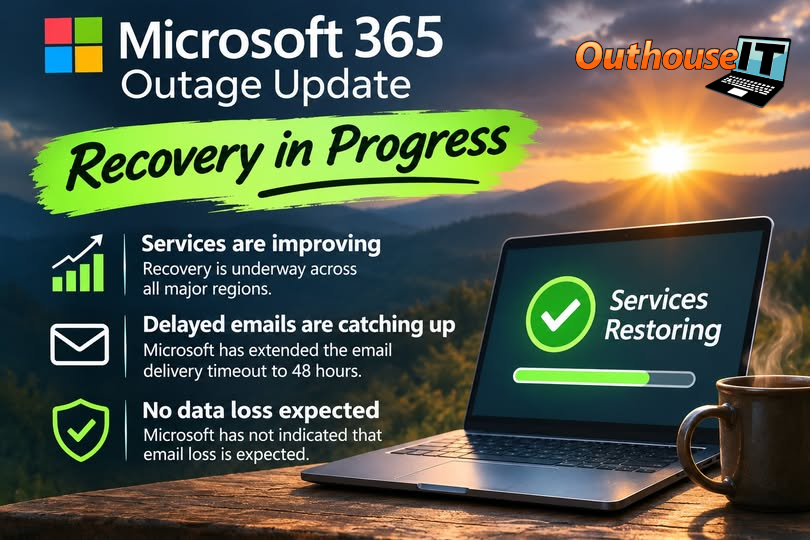
Microsoft 365 is recovering from a significant service disruption that affected Outlook, Exchange Online, Teams, SharePoint, Copilot and other connected services. As of Friday morning, November 13, 2026, Microsoft reports broader improvement, but some organizations may still experience intermittent access or delayed email delivery.
Current status: Recovery is underway, but the incident should not yet be treated as fully resolved. Microsoft 365 administrators should continue monitoring incidents EX1550543 and MO1550821 in the Microsoft 365 admin centre.
What happened
The disruption began on Thursday, November 12, with problems connecting to Exchange Online mailboxes. The impact expanded across regions and additional Microsoft 365 services. Microsoft reported unexpectedly unavailable infrastructure and elevated load, then moved traffic, restarted affected systems and repaired capacity while working through delayed email queues.
This was a Microsoft-side service incident. Rebuilding Outlook profiles, reinstalling Microsoft 365 or making broad local configuration changes is unlikely to help while the service incident remains active. Those changes can create a second problem after Microsoft finishes restoring service.
What small businesses should do now
Do this
|
Avoid this
|
A practical outage communication plan
A useful plan does not need to be complicated. It needs to answer four questions before the next outage:
- Who checks the vendor? Assign one person or IT provider to verify the incident through Microsoft 365 Service health.
- How do employees receive updates? Choose a secondary path that does not depend on the affected platform, such as an approved phone tree, SMS service or documented external status page.
- What work continues? Identify the few functions that cannot wait, such as customer calls, dispatch, payroll or order processing, and document a safe workaround.
- When does normal work resume? Wait for stable service and verify critical functions before declaring the incident over.
The lesson is not to abandon cloud services.
The lesson is that dependable cloud services still need a business continuity plan. A short, tested communication process prevents an external outage from turning into internal confusion.
After service is restored
Check that mailboxes can send and receive, review delayed or duplicated messages, verify Teams and SharePoint access, and confirm that temporary workarounds are removed. Then spend 15 minutes documenting what worked, what failed and who lacked the information needed to continue working.
Microsoft is expected to publish a post-incident report after mitigation is complete. Use that report to refine the technical record, but focus your business review on operational impact: which work stopped, how staff communicated and what would make the next interruption less disruptive.
Is your Microsoft 365 outage plan clear enough to use?
Outhouse IT can help you review Microsoft 365 administration, communications and practical continuity steps before the next interruption.